fnc: interactive text-based user interface for Fossil
fnc uses ncurses and libfossil to create a fossil ui experience
for navigating fossil repositories in the terminal. fnc also supports
interactive stash (cf. git stash -p) for parsing local changes at the hunk
level to prepare atomic commits, and editing of commit history
(cf. git rebase -i) to fold, drop, and edit local commits.
Tested and confirmed to run on the following amd64 systems (additional platforms noted inline):
- OpenBSD 6.8 through 7.4-{current,release}
- macOS Catalina 10.15.7, Big Sur 11.5.2, and Ventura 13.6.1
- Linux Mint 20.2 (32- and 64-bit ARM)
- Ubuntu 18.04, 21.04, 21.10, and 22.04 running Linux 5.1{1,3} (32-bit ARM)
- Debian GNU/Linux 8, 9, and 10
- CentOS 6.5 (32-bit)
- Alpine Linux 3.19_rc1
Alpha development notwithstanding, the timeline, diff, tree, blame,
branch, config, and stash commands are relatively stable; however, there
is no commitment to refrain from breaking changes.
Install

- OpenBSD
doas pkg_add fnc
- macOS
sudo port install fnc
- FreeBSD
- package:
pkg install fnc - port:
cd /usr/ports/devel/fnc/ && make install clean
- package:
- NixOS
nix-env -iA nixos.fnc
- Alpine Linux
apk add fnc
n.b. Ensure community repository is enabled (see https://wiki.alpinelinux.org/wiki/Repositories#Community)
Check repology to find if a package is provided for your operating system. If no package exists, download and install the binary on your path.
Build
- clone the repository1
fossil clone https://fnc.sh
- move into the work tree
cd fnc
- build
fnc2make3
- install the
fncbinary4doas make install
- run it in the
fncwork treefnc
This installs the fnc executable and man page into /usr/local/bin and
/usr/local/share/man/man1, respectively. Alternatively, cryptographically
signed tarballs of the source code and binaries for some of the abovementioned
platforms are available to download.
Doc
Commands available in fnc:
- stash
- interactively select hunks to stash from the diff of local changes on disk
- histedit
- edit commit history by dropping, editing, or folding commits
- timeline
- hyperlinked chronological commit history of the repository
- diff
- diff of all changes between commits or blobs
- blame
- annotated file displaying commit attribution history of each line
- tree
- navigable file hierarchy of the repository tree
- branch
- hyperlinked list of all public and private branches
- config
- configure or view fnc settings
See fnc -h for a quick reference and the fnc(1) manual page for more
comprehensive documentation. Runtime help can also be accessed with the ?,
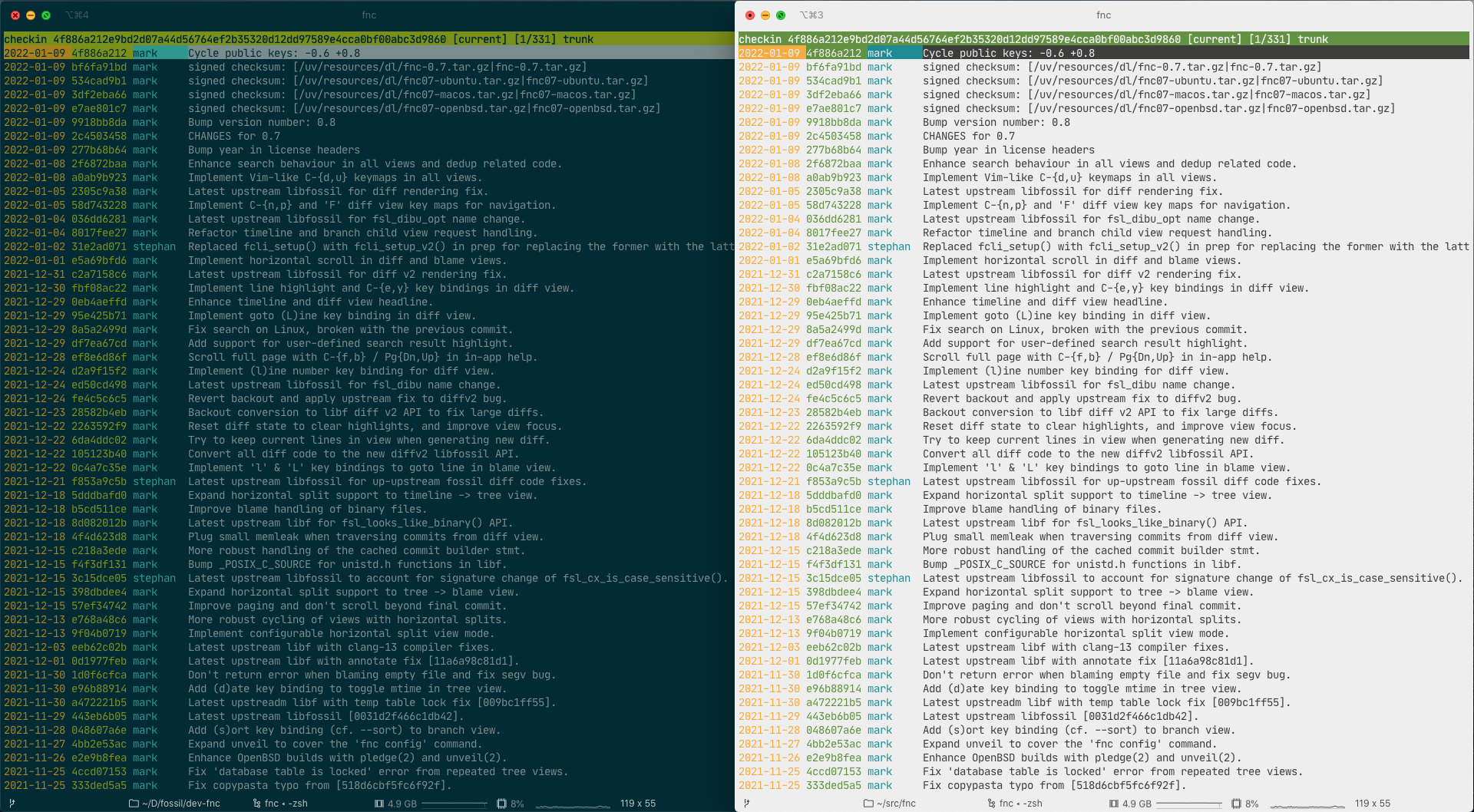
F1, or H key binding. There are screenshots that illustrate various
views, and the following video briefly demonstrates some of the key bindings
in use.
Why
fnc is heavily inspired by tog, which I missed when I left Got behind
and started using Fossil. The objective is to provide an alternative to
fossil ui without leaving the terminal.
Problems & Patches
Please submit bug reports via email to the mailing list. All reports should
include a bug reproduction recipe in the form of either: (1) a list of steps
from fossil init to create a new repository to the fnc command that
triggers the unexpected behaviour; or (2) a shell script containing all
necessary ingredients to reproduce the problem. Regression tests in regress/
provide exemplar reference implementations.
Patches are thoughtfully considered and can be sent to the mailing list.
While patches produced with diff(1) -up or fnc (i.e., fnc diff -o
or the diff view's p keymap) are preferred, any unified diffs (e.g.,
fossil diff) are welcome. Please ensure code conforms to the C99 standard
and OpenBSD KNF style(9). Any user-visible change (i.e., code that impacts
user interfaces) should also update documentation if affected by the change.
Trivia
fnc [fɪŋk]
noun (n.)
- an interactive ncurses browser for Fossil repositories
verb (v.) - to inform
etymology
From the German word Fink, meaning "finch", a type of bird.
- ^
creates the
fnc.fossilrepository file andfncwork tree in$PWD - ^
creates the
fncbinary in$PWD/src - ^
if using clang(1),
make ccdbgenerates acompile_commands.jsonstyle compilation database for your language server - ^ requires privileges